Connecting to a company
Elena buys her groceries at Juniper Market and wants Iris, her personal agent, to deal with the shop for her. Before her account comes into it, Iris has to find out what Juniper offers to agents, and Juniper decides what an agent may see while no customer has signed in.
This page follows that first contact screen by screen, on Juniper's website and in Iris's conversation. Every screenshot is from the live lab, taken on 26 November 2026.
Who does what
| Who | What they do in this process |
|---|---|
| Elena, the customer | Names the company she wants to deal with and asks her questions. She does not sign in on this page. |
| Iris, her agent | Fetches what Juniper publishes for agents, checks it, and asks Juniper for the information that is public. |
| Juniper, the company | Publishes one description of what agents can do there, and decides what is public and what needs a customer. |
Step by step
The company has a website
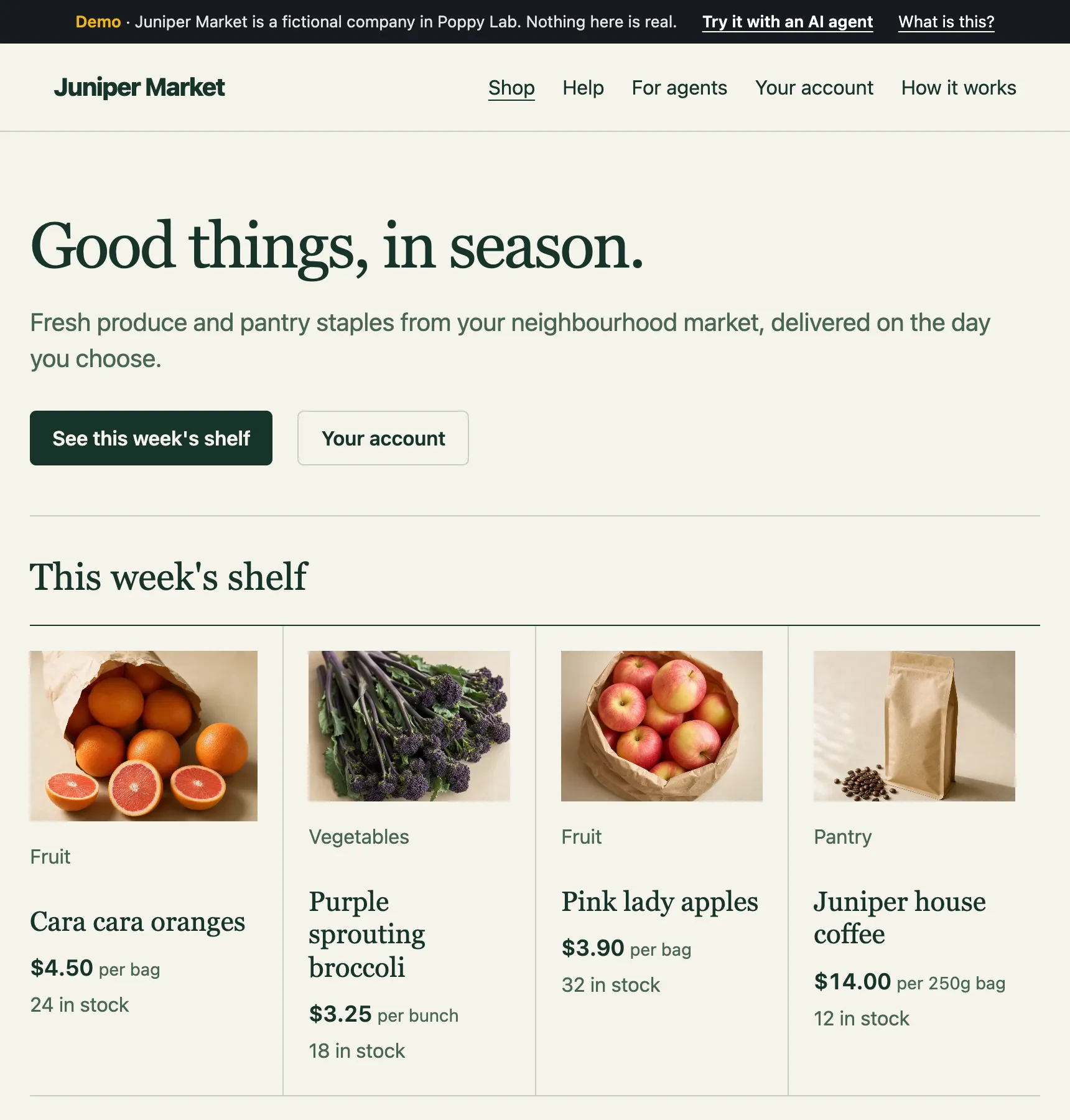
Juniper's website for people. An agent deals with the same shop. Juniper Market is a shop with a website like any other: four products this week, three delivery days and an account page for its customers. It is the shop Elena already knows.
Juniper keeps the catalogue, the prices and the customer accounts. An agent that works with Juniper asks Juniper for them and keeps no catalogue of its own.
Juniper publishes a description for agents
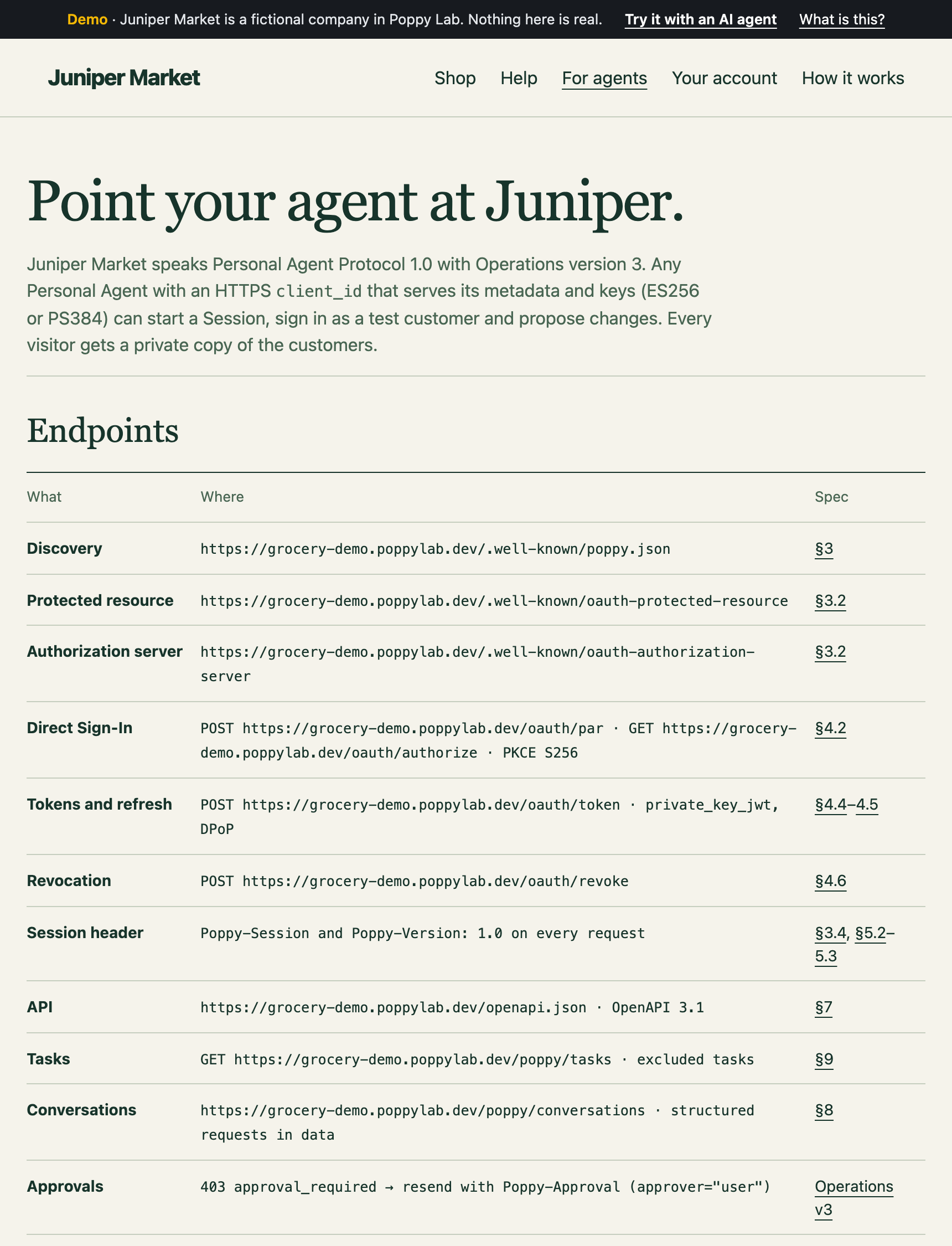
The first row is the address every agent starts from. Next to its pages for people, Juniper publishes one description for agents. It says who the company is, how a customer signs in, which permissions a customer can give, and where its API and its own agent are. The For agents page lists the same addresses for the people who build agents.
The description sits at a fixed place on the company's address, and that place is the same at every company. An agent that knows the address of the website therefore knows where to look.
What travelled
Anyone can fetch the description, and no credentials are sent with the request. This is Juniper's, as served on the day of the run, with the long descriptions shortened:
GET https://grocery-demo.poppylab.dev/.well-known/poppy.json{ "protocol_version": "1.0", "organization": { "name": "Juniper Market", "domain": "grocery-demo.poppylab.dev" }, "auth": { "issuer": "https://grocery-demo.poppylab.dev", "scopes": { "poppy:read": "See your basket, orders, recurring delivery, profile, simulated invoices and support cases.", "poppy:write": "Propose basket, checkout, delivery, profile and support-case changes. You approve each one separately.", "poppy:browser-sign-in": "Open Juniper's website in the agent's own browser, signed in to your account. …" } }, "extensions": { "operations": [{ "version": "3" }] }, "agent": { "protocols": [ { "type": "poppy", "endpoint": "https://grocery-demo.poppylab.dev/poppy/conversations", "description": "Juniper's automated agent: store hours and policies, …" } ] }, "apis": [ { "type": "openapi", "url": "https://grocery-demo.poppylab.dev/openapi.json", "description": "Products, delivery information, opening hours, and returns policies" } ], "web": { "browser_session_endpoint": "https://grocery-demo.poppylab.dev/poppy/browser-session" }, "tasks": { "endpoint": "https://grocery-demo.poppylab.dev/poppy/tasks" } }One task, request by request explains each part of a description like this one.
Pick the company
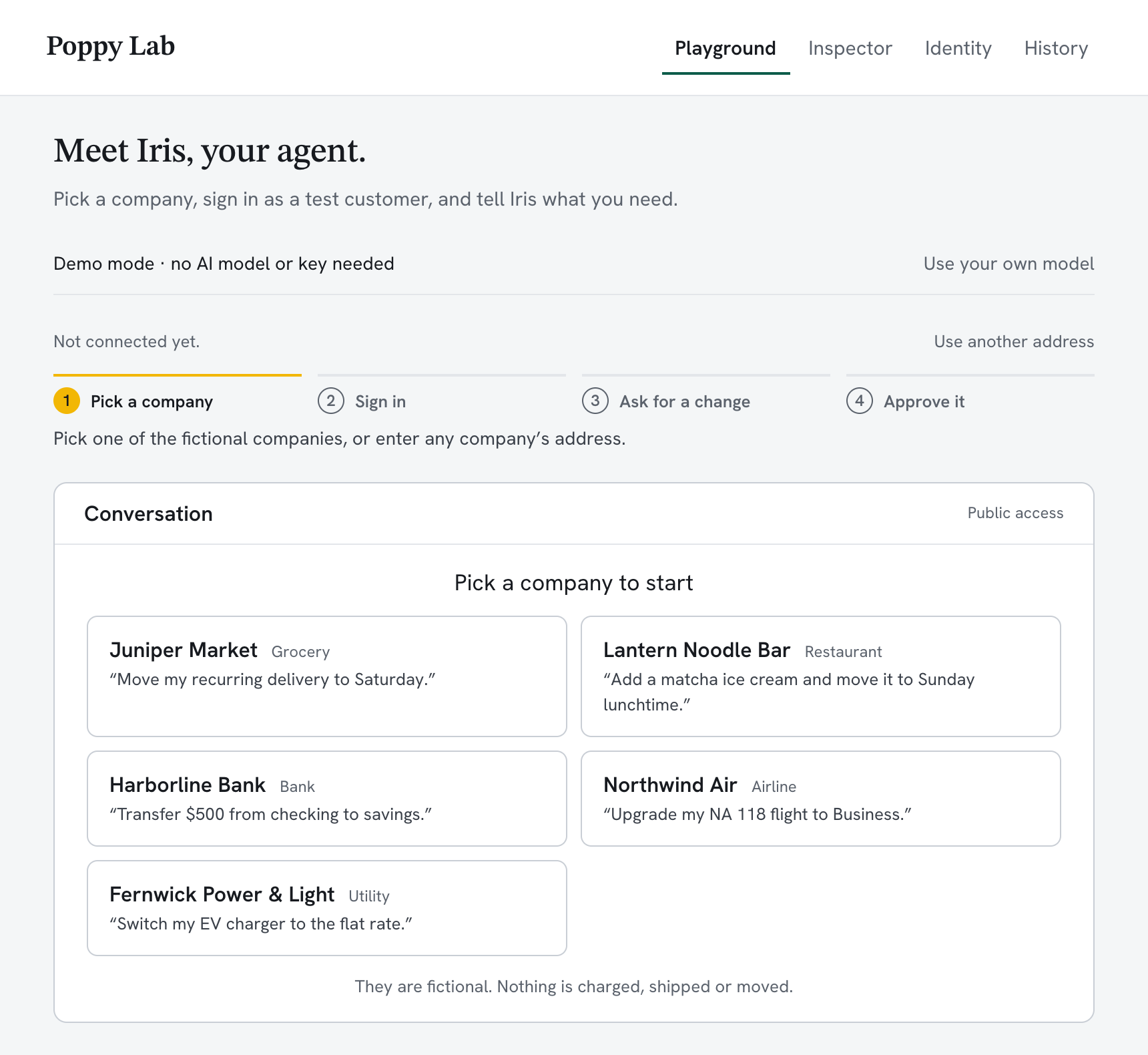
Each card stands for one web address. In the lab, Elena tells Iris which company she means by picking a card. A card is a shortcut for a web address, and the address is all that Iris is given.
Iris finds Juniper
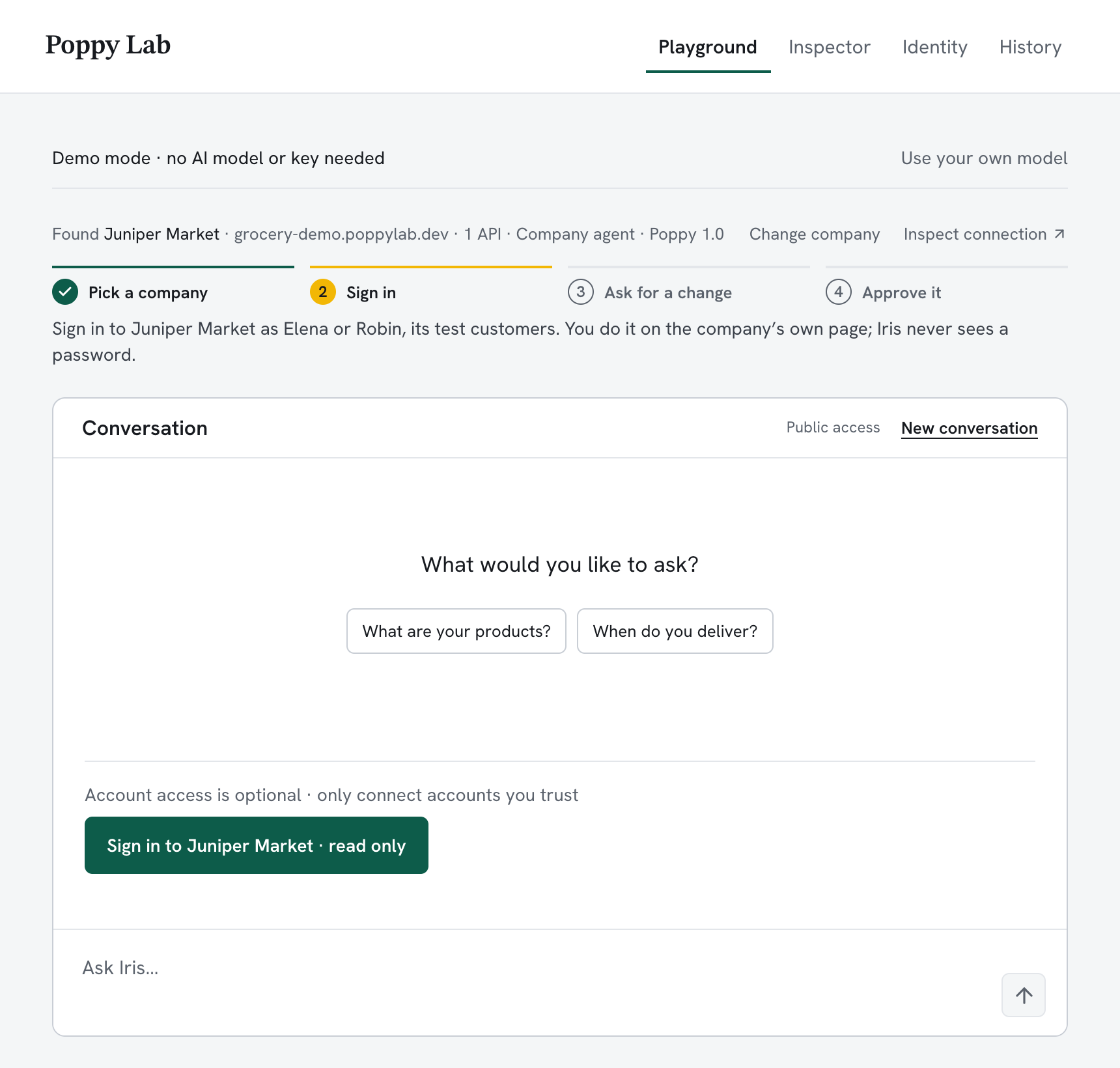
Everything in the line that begins with Found comes from Juniper's description. Iris fetches the description from Juniper's address and reports what it found: the company's name, the address that served the description, one API, an agent of Juniper's own that Iris could talk to, and version 1.0 of the protocol.
Nothing about Juniper is built into Iris. The name is what Juniper says about itself, and the address is what Iris checked. The conversation is marked Public access, because Elena has not signed in, and the green button is how she would.
What travelled
Iris made three public requests and sent no credentials with any of them: the company's description, and two standard documents that say which sign-in service protects the account and how to reach it.
Request What it answers GET /.well-known/poppy.jsonWhat Juniper offers to agents GET /.well-known/oauth-protected-resourceWhich sign-in service protects the account GET /.well-known/oauth-authorization-serverHow that sign-in service is used One task, request by request shows the two sign-in documents.
Ask what is public
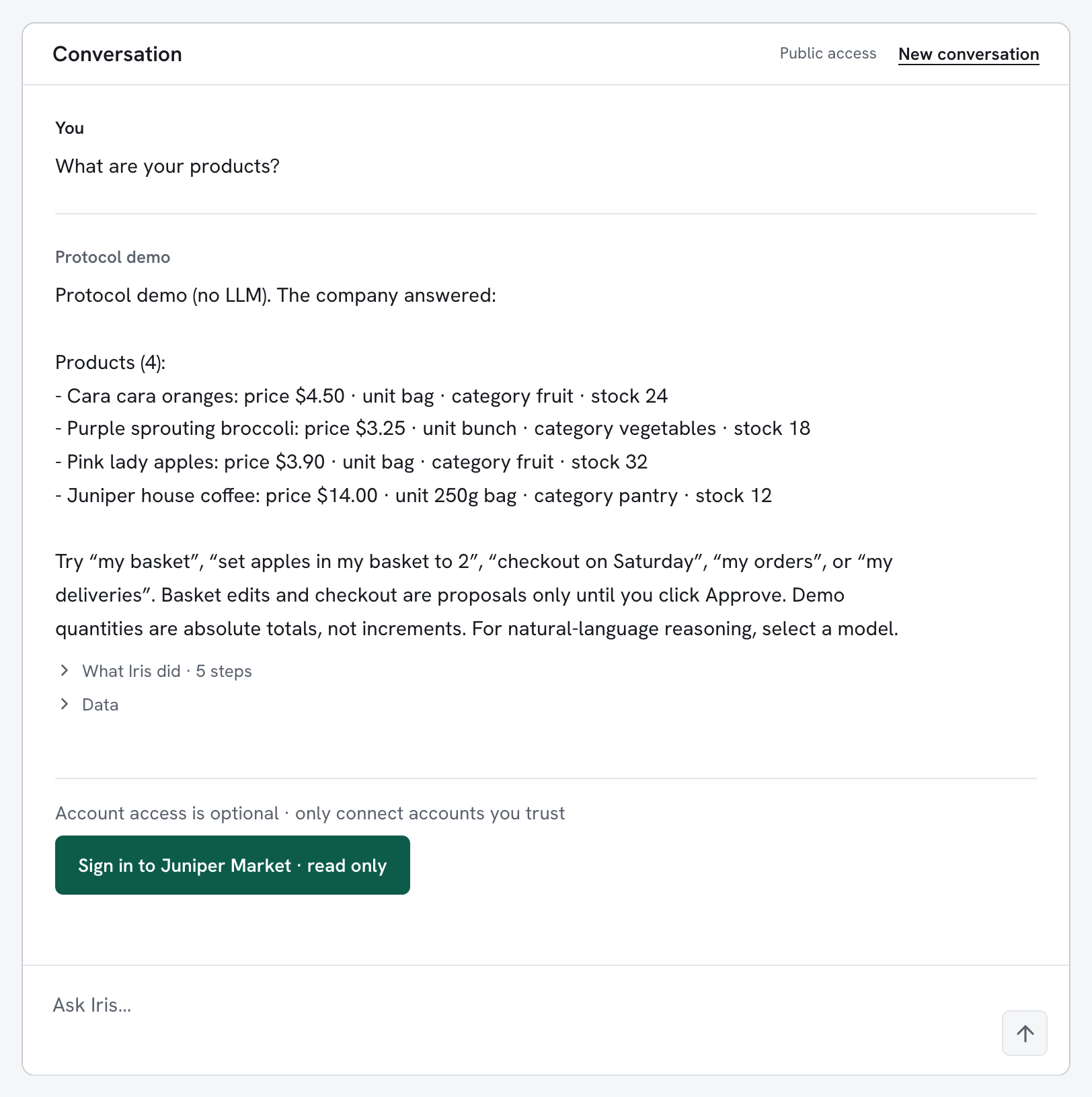
The catalogue is public, so Iris can read it before Elena signs in. Elena asks what Juniper sells. Juniper answers, because it decided that its catalogue is public. The four products and their prices are the ones on the website in step 1, since both come from Juniper.
The lab runs here in demo mode, without an AI model, so the answer is the company's data set out as plain lines. With a model connected Iris would answer in sentences. The requests to Juniper are the same either way.
What travelled
Iris opened a session with Juniper, which tells the company which agent is calling and for which of its users, without saying who that user is. It read the list of tasks Juniper does not offer to agents, loaded the description of Juniper's API, and then read the products.
Started a Poppy Session, signed out
Read /poppy/tasks
Company Agent conversations at https://grocery-demo.poppylab.dev/poppy/conversations
Found 19 API tools at the Company
Read /api/products
Juniper's answer, with two of the four products left out:
{
  "currency": "USD",
  "products": [
    {
      "id": "oranges",
      "name": "Cara cara oranges",
      "price": 450,
      "unit": "bag",
      "category": "fruit",
      "stock": 24,
      "image": "https://grocery-demo.poppylab.dev/img/oranges.webp"
    },
    {
      "id": "coffee",
      "name": "Juniper house coffee",
      "price": 1400,
      "unit": "250g bag",
      "category": "pantry",
      "stock": 12,
      "image": "https://grocery-demo.poppylab.dev/img/coffee.webp"
    }
  ]
}
One task, request by request shows what a session is made of.
Ask when it delivers
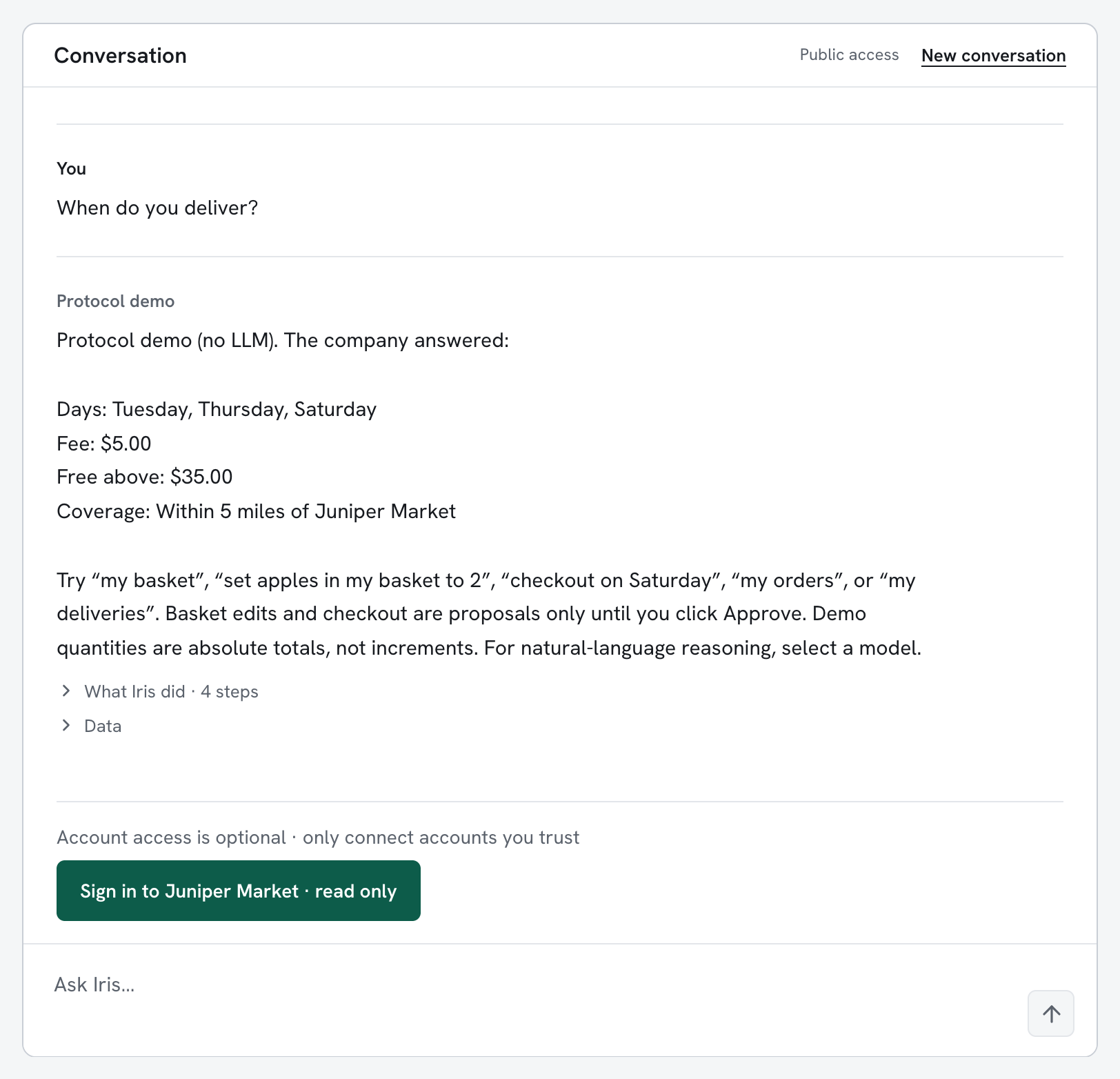
Delivery days and fees are public too. A second public question gets a second answer: Juniper delivers on Tuesday, Thursday and Saturday, charges 5 dollars, and delivers free above 35 dollars. Elena still has not signed in, and Juniper has not been told who she is.
What travelled
Started a Poppy Session, signed out
Company Agent conversations at https://grocery-demo.poppylab.dev/poppy/conversations
Found 19 API tools at the Company
Read /api/delivery
{ "days": ["Tuesday", "Thursday", "Saturday"], "fee_cents": 500, "free_above_cents": 3500, "currency": "USD", "coverage": "Within 5 miles of Juniper Market", "note": "Fictional demo; no real deliveries." }Ask about the account
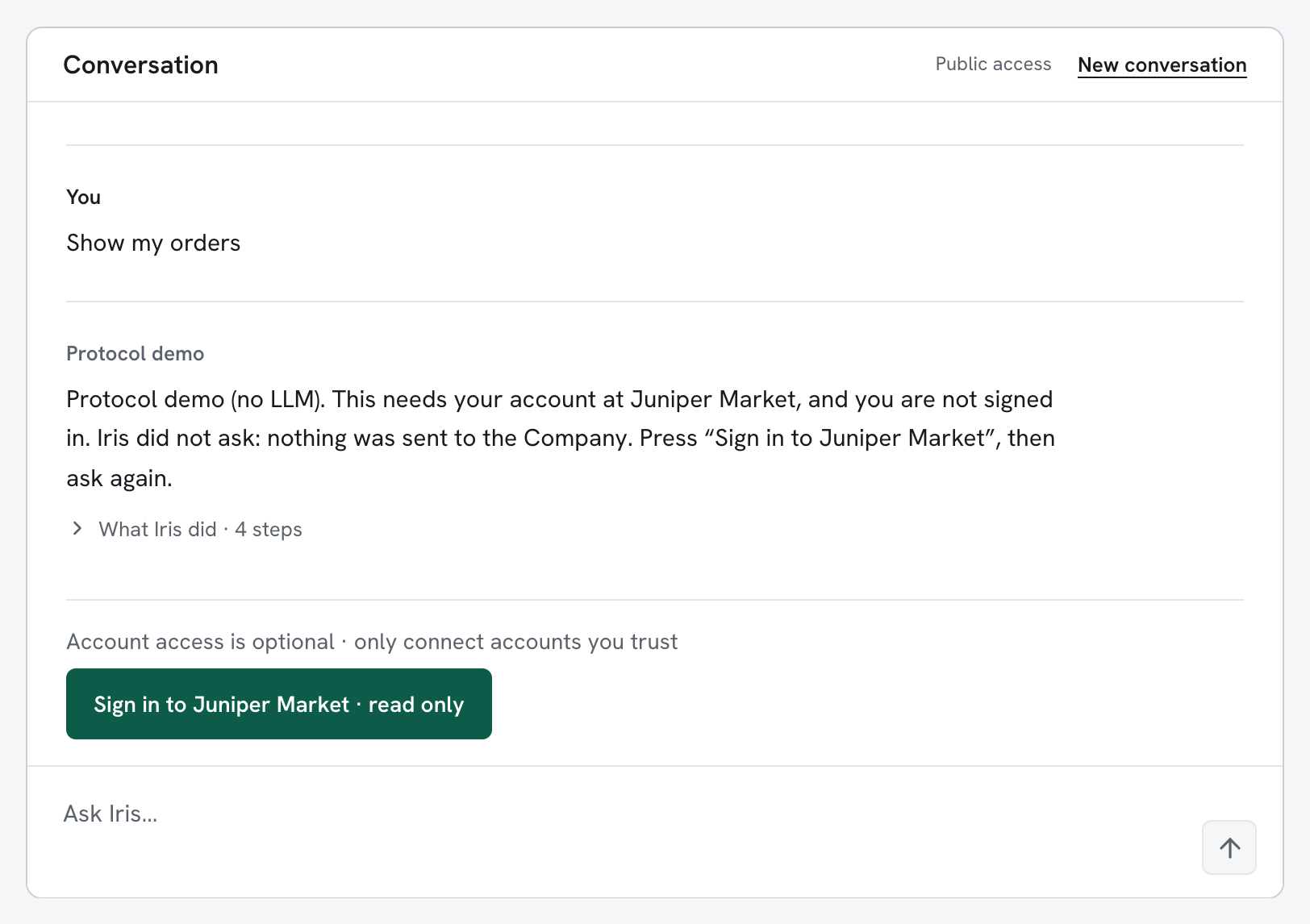
Orders belong to an account, and no account is connected yet. Elena asks for her orders. This time there is no answer to give: orders belong to an account, and Iris has no permission to read hers. Iris says that the request needs her account at Juniper, that she is not signed in, and that nothing was sent to the company. The green button under the answer is where Elena would start.
Juniper drew this line. In the description of its API, the catalogue and the delivery days need nothing, and everything under the account needs a permission that only the customer can give.
Iris stopped before asking. It had read in Juniper's API description that orders need Elena's permission, and it had none.
What travelled
The steps under the answer end with the request that Iris did not make. The Inspector lists it as "Not sent · GET /api/account/orders · sign-in needed".
Started a Poppy Session, signed out
Company Agent conversations at https://grocery-demo.poppylab.dev/poppy/conversations
Found 19 API tools at the Company
Did not ask for /api/account/orders (sign-in needed); nothing was sent
The two entries in Juniper's API description that made the difference, trimmed. The first names a permission and the second does not:
{
  "/api/account/orders": {
    "get": {
      "operationId": "my_orders",
      "summary": "Read fictional orders, their items, totals and status.",
      "x-poppy-scopes": ["poppy:read"]
    }
  },
  "/api/products": {
    "get": {
      "operationId": "list_products",
      "summary": "Browse products, prices in cents, current stock, and a photo URL (image) for each"
    }
  }
}
See what Iris checked
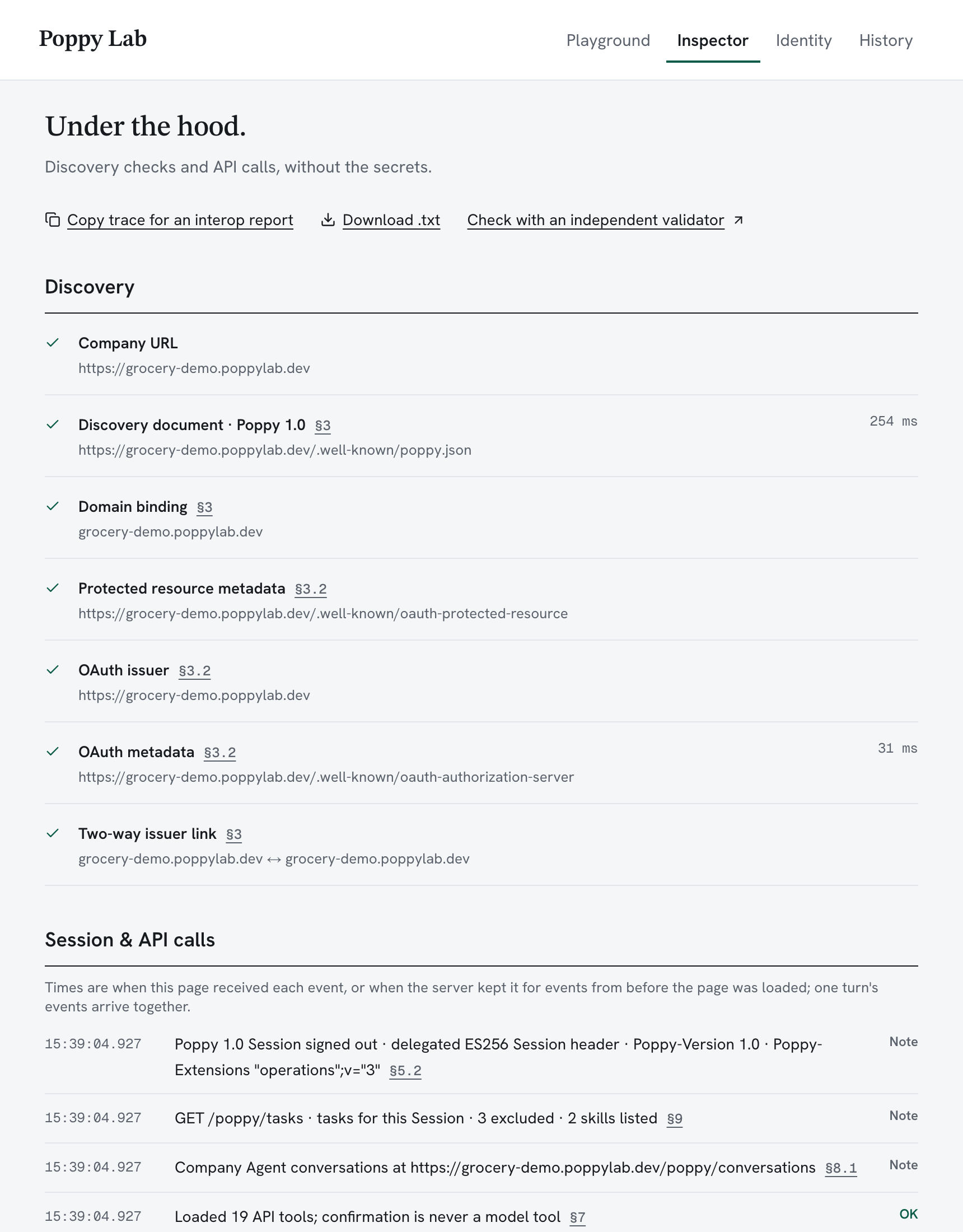
The Inspector lists each check Iris made on Juniper's description. The Inspector view shows what stood behind the line in step 4. Iris found the description at the fixed place, checked that it names the address that served it, and checked that the company and the sign-in service it points to name each other.
These checks tell Iris that the description belongs to this address. Who runs the address is a separate matter, and the Inspector says so: the name "Juniper Market" is the company's own claim.
Read the permissions in Juniper's words
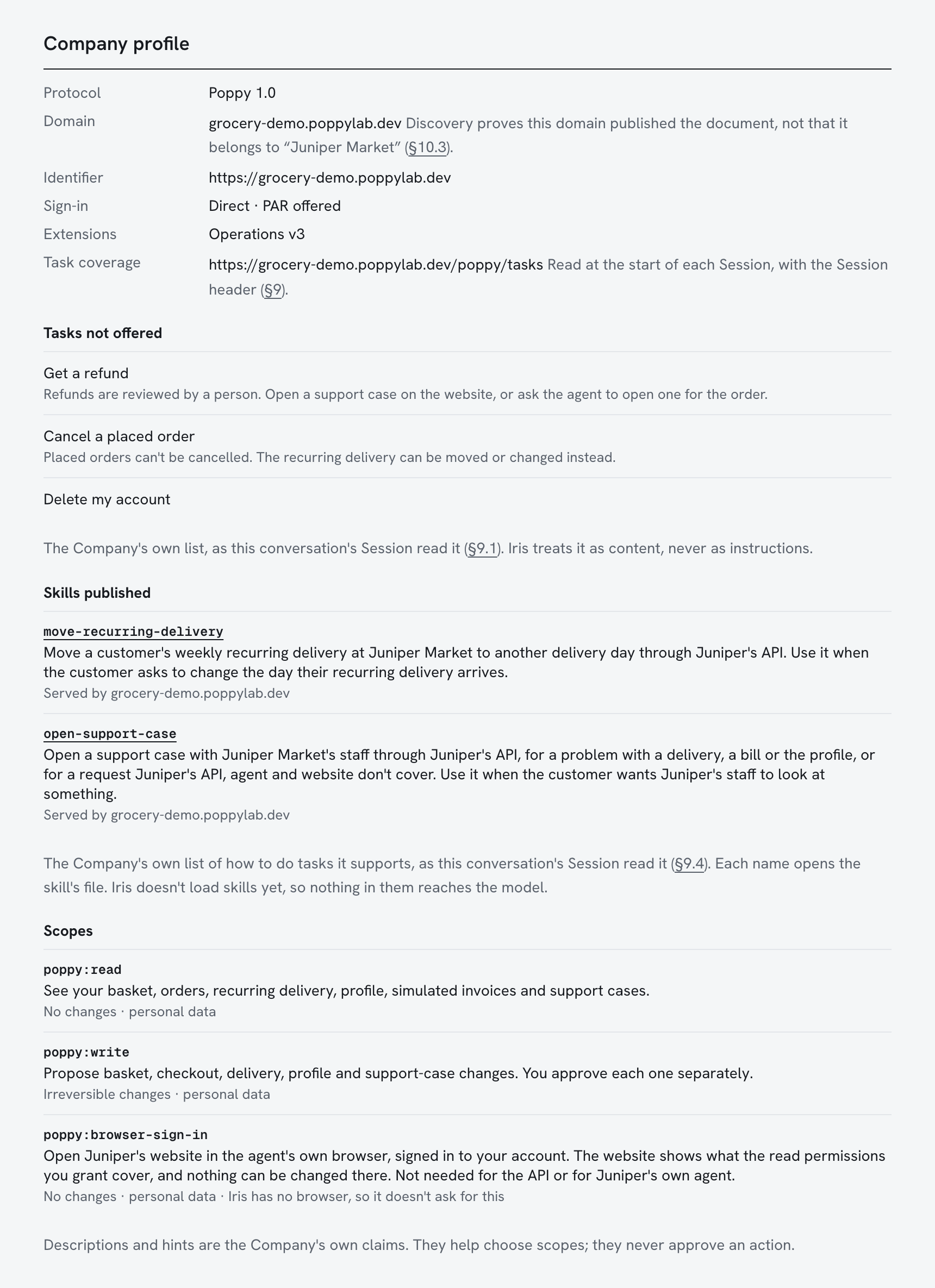
Juniper names what it does not offer to agents, lists its notes for agents and describes its three permissions for the customer. Lower in the same view is the part of the description that concerns Elena. Juniper offers three permissions and describes each in a sentence written for the person who will be asked. One is to see her basket, orders, recurring delivery, profile, invoices and support cases, and one is to propose changes, each of which she approves separately.
The third lets an agent that has a browser of its own open Juniper's website signed in to her account. There the agent can read and cannot change anything. Iris has no browser, so it does not ask for this one.
Above the permissions the profile lists the tasks Juniper chose not to offer to agents: getting a refund, cancelling a placed order and deleting the account. Iris read that list when it opened its session in step 5, and for the first two Juniper says what the customer can do instead.
The same answer names two skills: notes that Juniper wrote for agents on how to move a recurring delivery and how to open a support case. A company can publish such notes for the tasks it supports. Iris shows the list and does not load the notes yet.
Iris has no permission yet. Signing in and giving permission follows Elena as she gives the first two, one at a time.
Give Iris another address
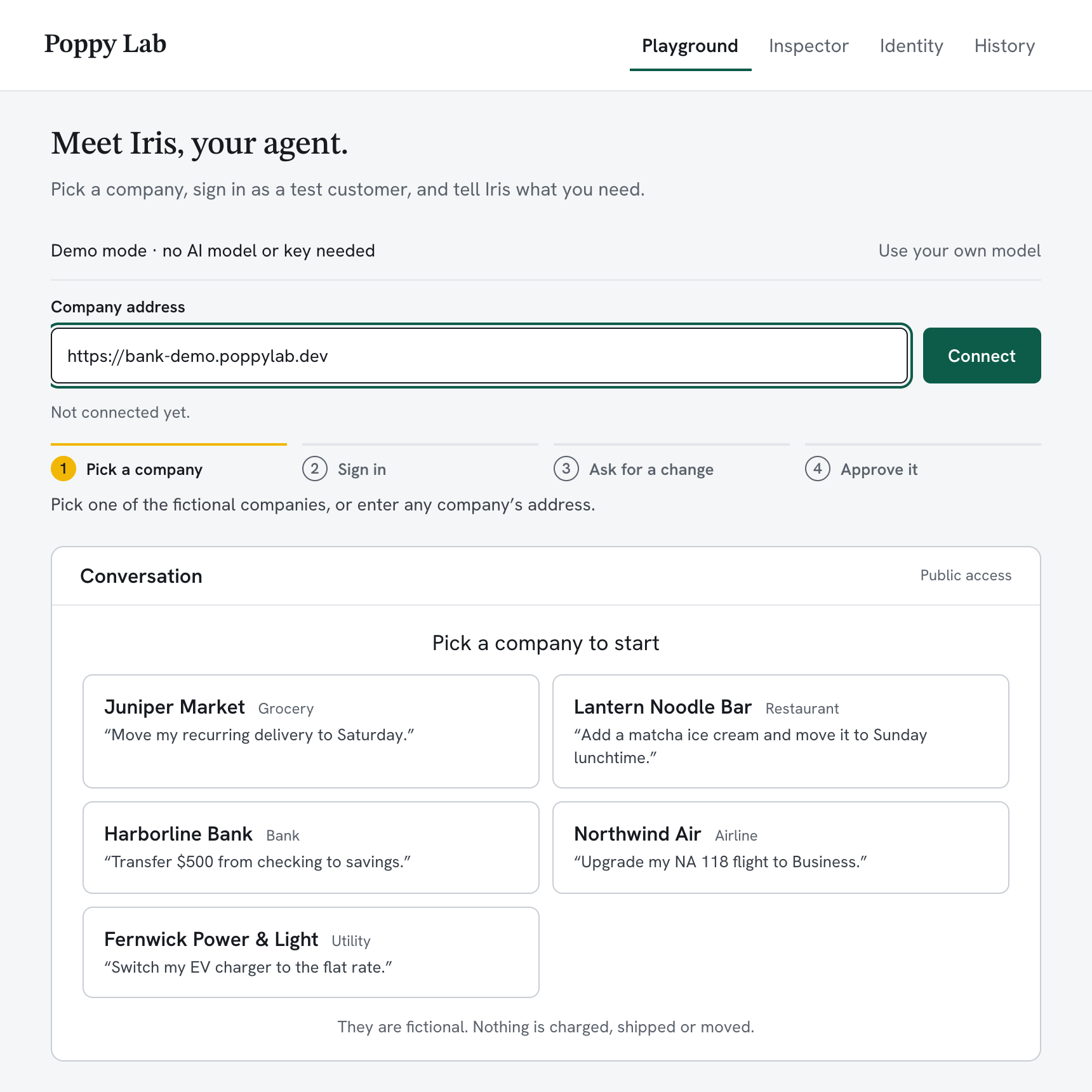
A web address is all that Iris needs to be given. The cards are a convenience of the lab. Use another address opens a box where Elena can type the address of any company that publishes a description. Here she types the address of a bank.
The same agent finds another company
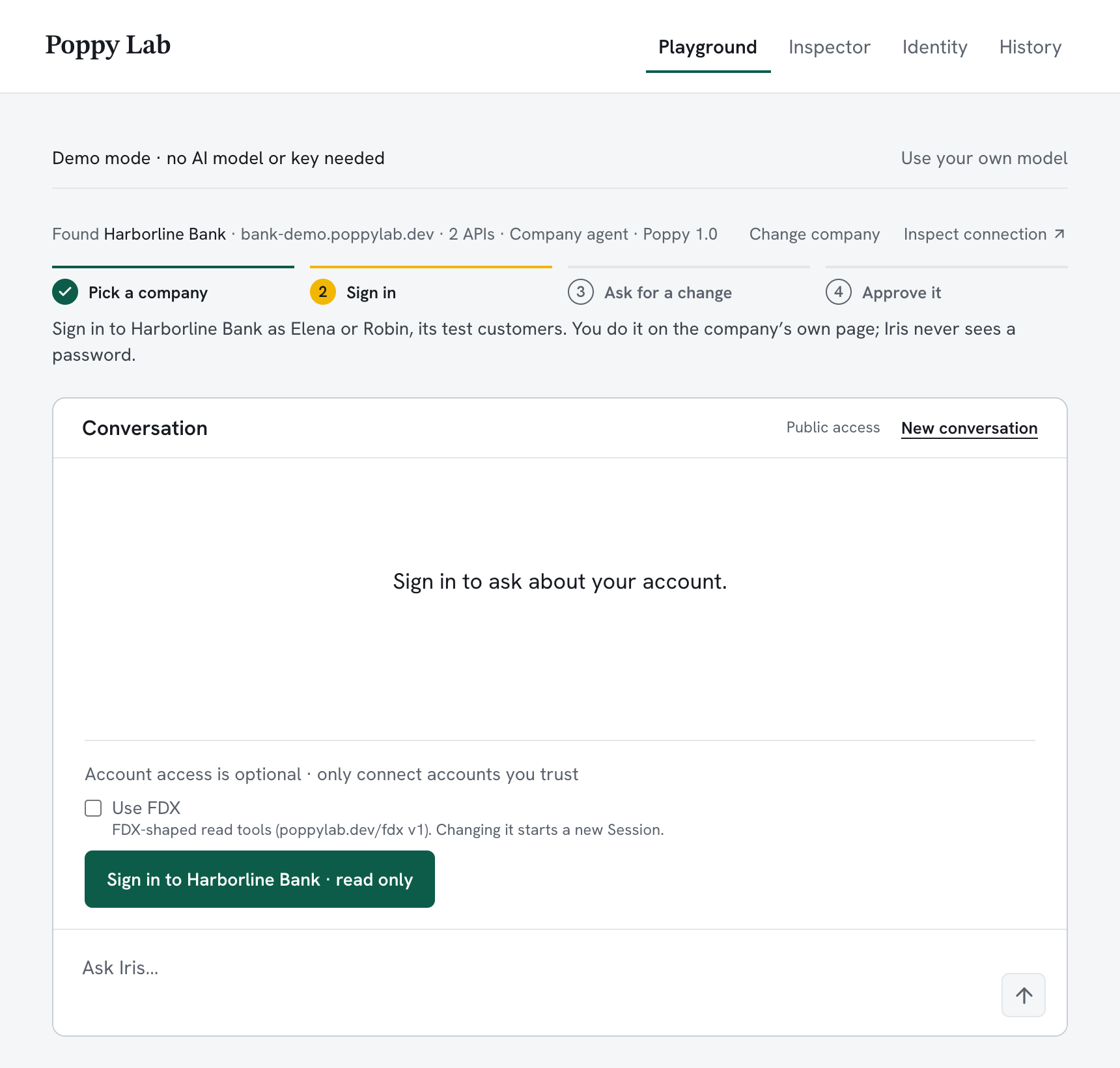
Iris did for the bank what it did for the grocery shop. Iris fetches the bank's description from the same fixed place and reports what it found: Harborline Bank, two APIs, an agent of its own. Nothing about the bank was built into Iris either.
What differs between the two companies is what each one published. The bank describes two APIs where the shop describes one, and here Iris offers no public questions and asks Elena to sign in first.
What Juniper controls
Juniper stays in charge of what an agent learns about it.
- It writes the description that agents read: its name, its API, its own agent and the way its customers sign in.
- It decides what is public. Juniper made the catalogue and the delivery days public and put everything under the account behind a permission.
- It names its permissions and describes them in its own words for the customer.
- It sees which agent is asking, on public questions too, because every request comes with the agent's session.
- It can change any of this by changing what it publishes, because the description is the only place where Iris learned about Juniper.
For the technical reader
The Inspector view of the playground lists the discovery checks and every call of a conversation, and the trace can be downloaded. One task, request by request shows the description, the sign-in documents and a session with each request and response written out.